Now you can generate PDF/HTML inspection reports right from our Desktop app.
- Select the rows you want to report on.
- Click the "Create Report" button on the top action bar next to "Create Inspection"
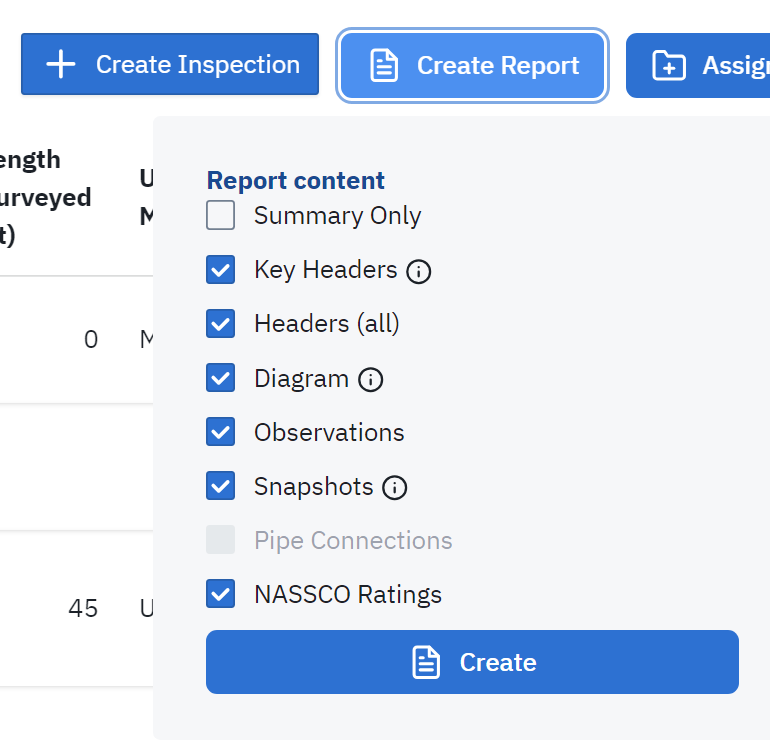
- Select which pages of the reporting you need. (Note: you will be given a summary even if you don't select the first row)
- Your reports will open in a browser tab
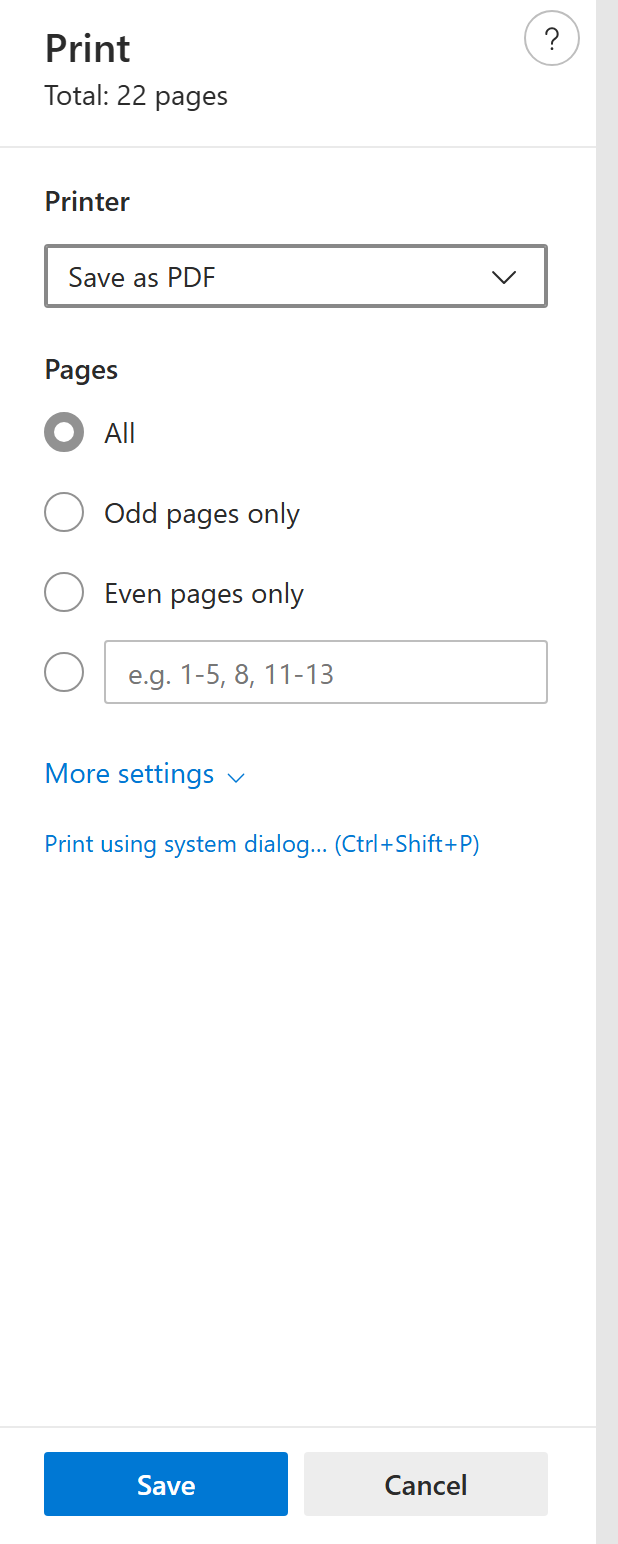
- The reports that are created are interactive HTML. If you need to Save them to your hard drive or share them, please use "Print" (e.g. Ctrl+P) and "Save as PDF"